Attendance from
your own phone.
GPS + face attendance app for Indian SMEs — factories, shops, construction sites, security agencies, clinics and offices. No biometric machine, no proxy attendance, payroll-ready reports.
No card required · Free for up to 5 employees
< 0 s
to check in with face + GPS
0
anti-proxy checks on every check-in
₹0
hardware to buy or maintain
0%
data hosted in India
Replace the fingerprint machine — and the spreadsheet
Everything a biometric terminal does, plus what it never could: field staff, leave and payroll-ready reports.
The old way
- ₹15,000+ machine per gate, plus AMC
- Queues at 9:30 and smudged fingers
- Buddy punching and proxy attendance
- No way to track field staff
- Manual leave registers and Excel at month-end
With TeamStamp
- Zero hardware — employees use their own phone
- Check in at the door in under 5 seconds
- Face + liveness + device binding stop proxies
- Geofences for every office, plant and client site
- Leave, holidays and paid days calculated for you
Built for Indian SMEs
Factories, shops, construction sites, security agencies, clinics and offices — teams of 10 to 500 people, on budget Android phones.
Live in an afternoon
No installation team, no wiring, no hardware to ship.
Draw your sites
Drop a pin and set a radius, or trace the exact boundary of your campus on the map. Add shifts and holidays.
Add your team
Create employees with their shift, sites and reporting manager. They sign in to the app and register their face once.
They check in. You relax.
Location, face and liveness are verified in seconds. Late marks, leave and paid days are calculated automatically.
Built to stop proxy attendance
Geofence, face, liveness and device checks work together on every check-in.
Only on site.
Only the right face.
Draw a circle around your office or trace a plant boundary. A check-in from anywhere else — or with a fake-GPS app — is refused.
Face + liveness
Blink or turn your head — photos and screens don’t pass.
One phone per person
A new phone needs admin approval, so nobody marks attendance for a colleague.
Check-in-and-leave? Caught.
Random presence checks and time outside the fence are tracked all day.
Extra proof on rooted phones
Six checks on every check-in.
Each attempt is verified on the server and every result is kept — rejected ones too — so you can see exactly who tried what, where and when.
Explore all featuresRegistered phone
Only the employee’s approved device can mark attendance.
Inside the geofence
PostGIS checks the location against your site on the server — fake-GPS apps are rejected.
Face match
On-device face signature compared with the registered employee.
Liveness
Random blink, smile or head-turn — photos and videos on a screen fail.
Presence checks
Random “still here?” prompts during the day catch check-in-and-leave.
Office Wi-Fi
Optional: require the office access point for extra certainty.
Know who’s really at work — not just who checked in
Checking in and walking out is the oldest trick in the book. TeamStamp keeps an eye on the premises for the rest of the shift — and never after check-out.
- Every employee sees whether they’re inside the premises, on their phone
- Leaving is recorded even when the app is closed — only while checked in
- Turning location off is noticed, and that time isn’t counted as worked
- Managers get an alert when someone is outside for more than 10 minutes
- “Outside now” list on the dashboard and in the manager’s app
Background location is used only during the working session, with the employee’s consent.
An app your team will actually like
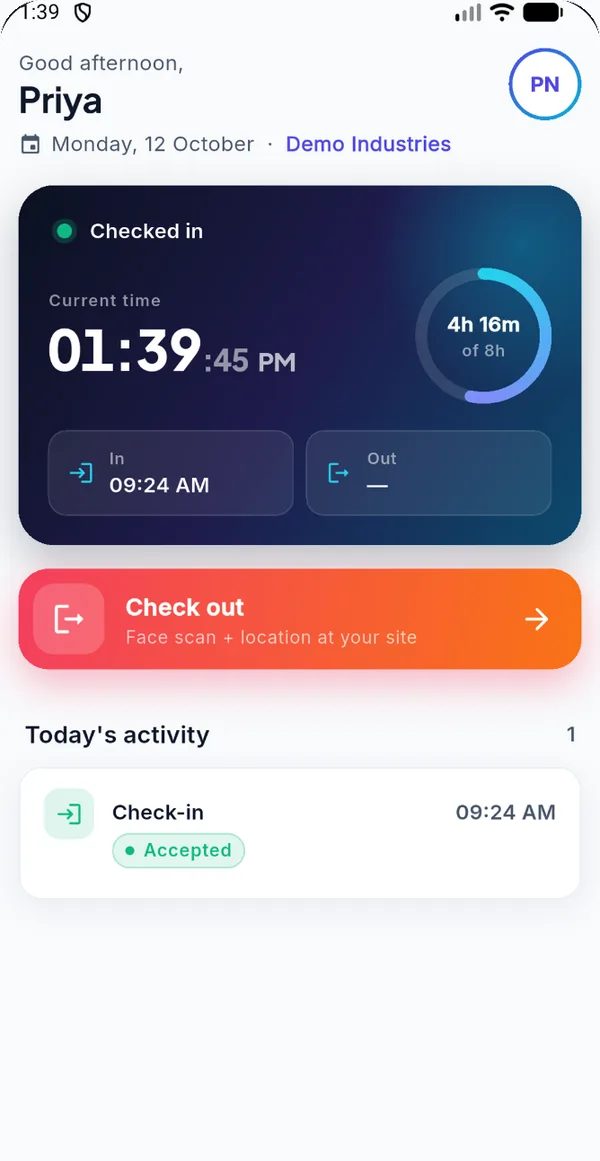
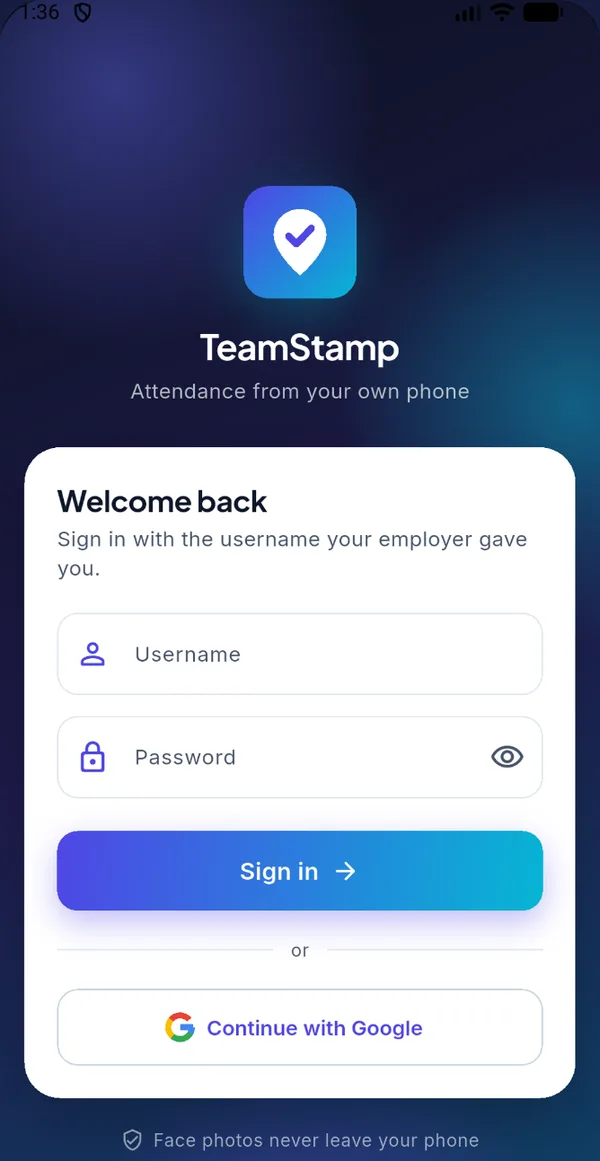
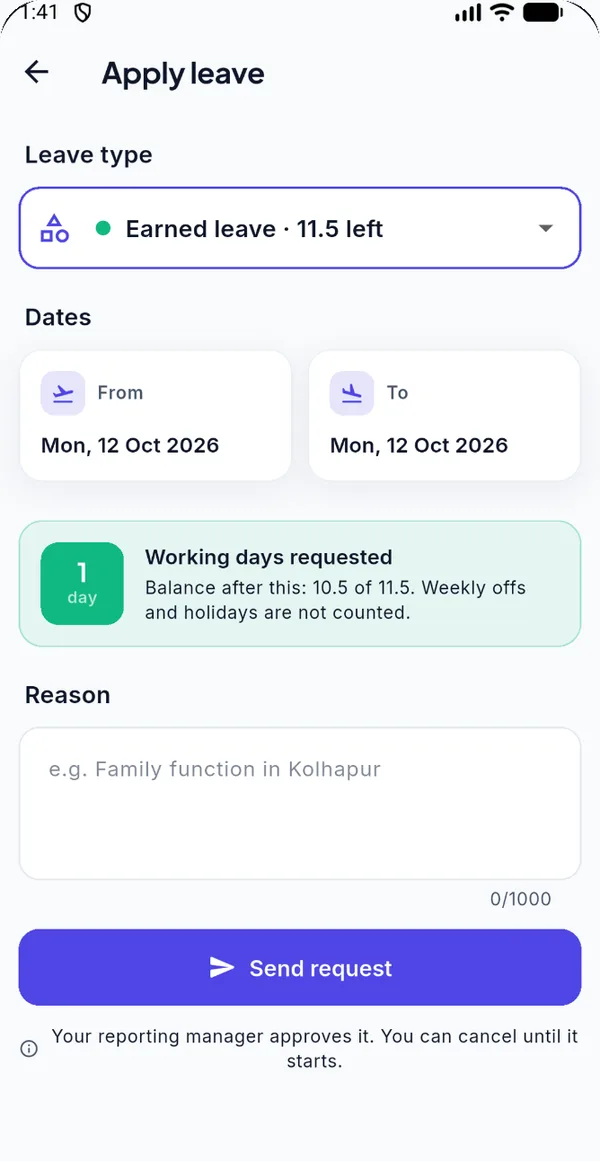
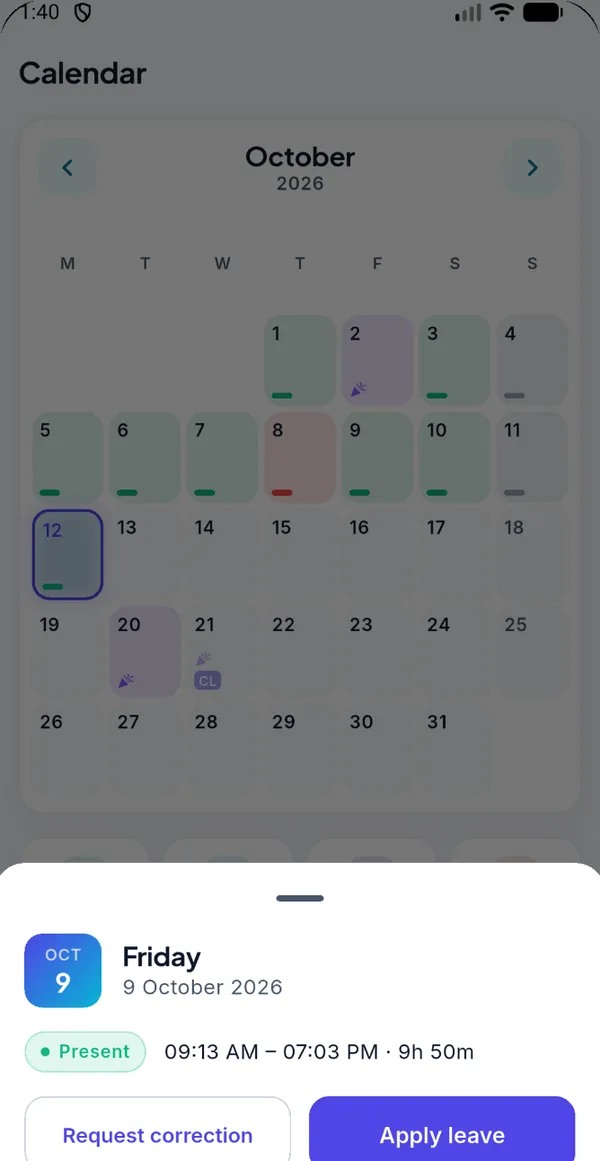
No queue at the gate and no paper slips. Employees use their own Android phone — the app works on budget phones, signs in with a username or Google, and tells them when an update is ready.
- Check in with a face scan and a blink — under 5 seconds
- Sees whether they’re inside the premises — and is told if they leave while checked in
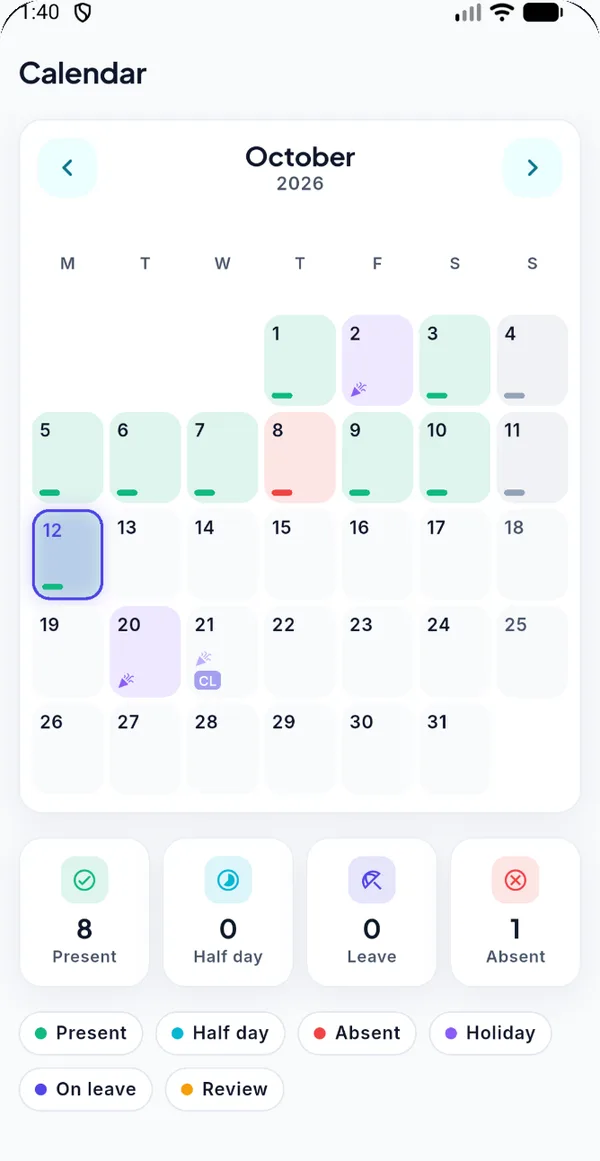
- Own calendar: present days, holidays and leave
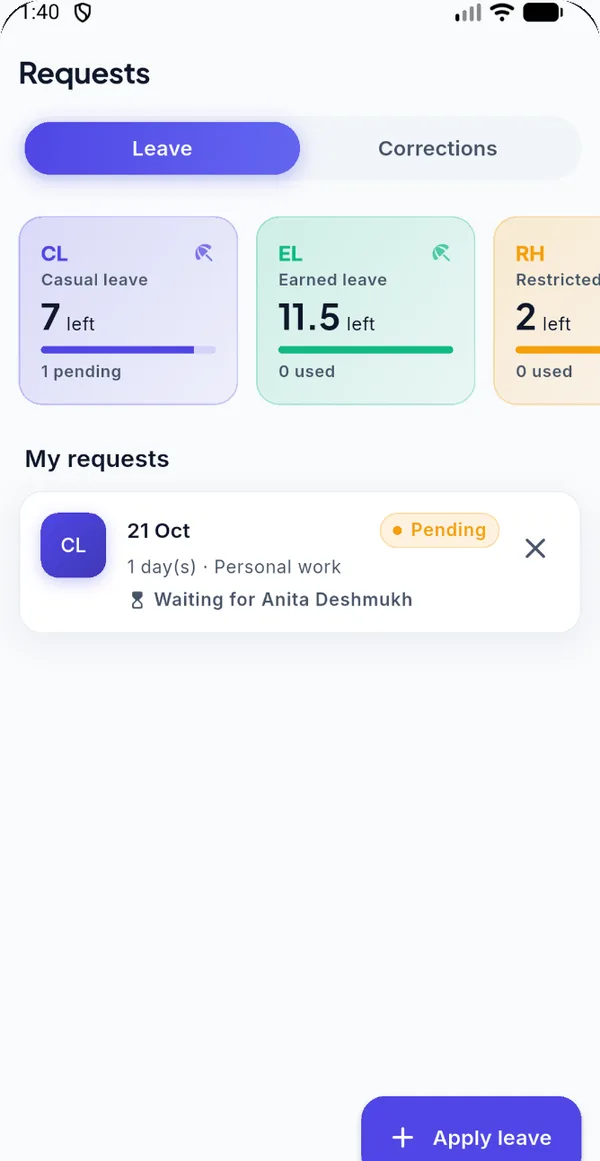
- Apply for leave with the balance shown; managers approve in the app
- Notifications for presence checks, approvals and forgotten check-outs
Everything HR needs at month-end
Attendance is only the start. TeamStamp turns it into leave balances, calendars and paid days.
Leave & approvals
CL, SL, EL, LWP and your own types. Monthly accrual, carry forward, half days. Managers approve from the app.
Holidays & calendar
National and state holidays per site, optional holidays, and a month view for every employee and the whole company.
Shifts & late marks
Grace periods, full/half-day thresholds and weekly offs per shift — late minutes calculated automatically.
Payroll-ready reports
Present, half days, holidays, paid and unpaid leave → paid days per employee, exported to Excel.
Corrections with audit trail
Forgot to check out? Employees request a fix; approvals add events without ever editing history.
Roles & Google sign-in
Admins, managers and employees, each seeing only what they should. Sign in with username or Google.
Sessions & breaks
Lunch outside, bank or client visits: check in again after a break. Breaks are shown and never paid.
Automatic emails
New employees get their login and the app link by email; password reset links; a monthly attendance report for admins.
Any team size
Import employees from Excel, add or edit them from the phone, deactivate or delete with all their records.
Run your team from the web — or your phone
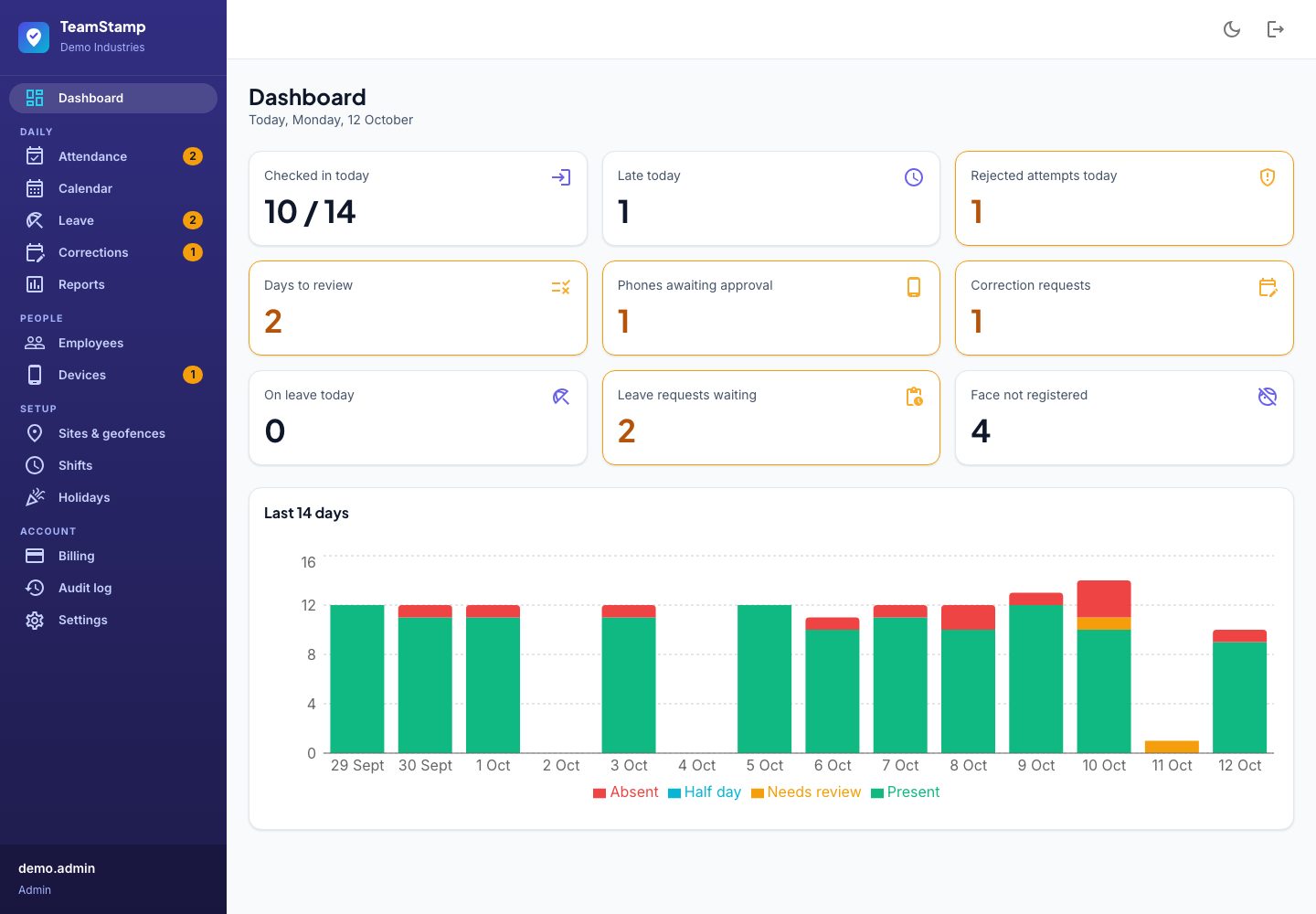
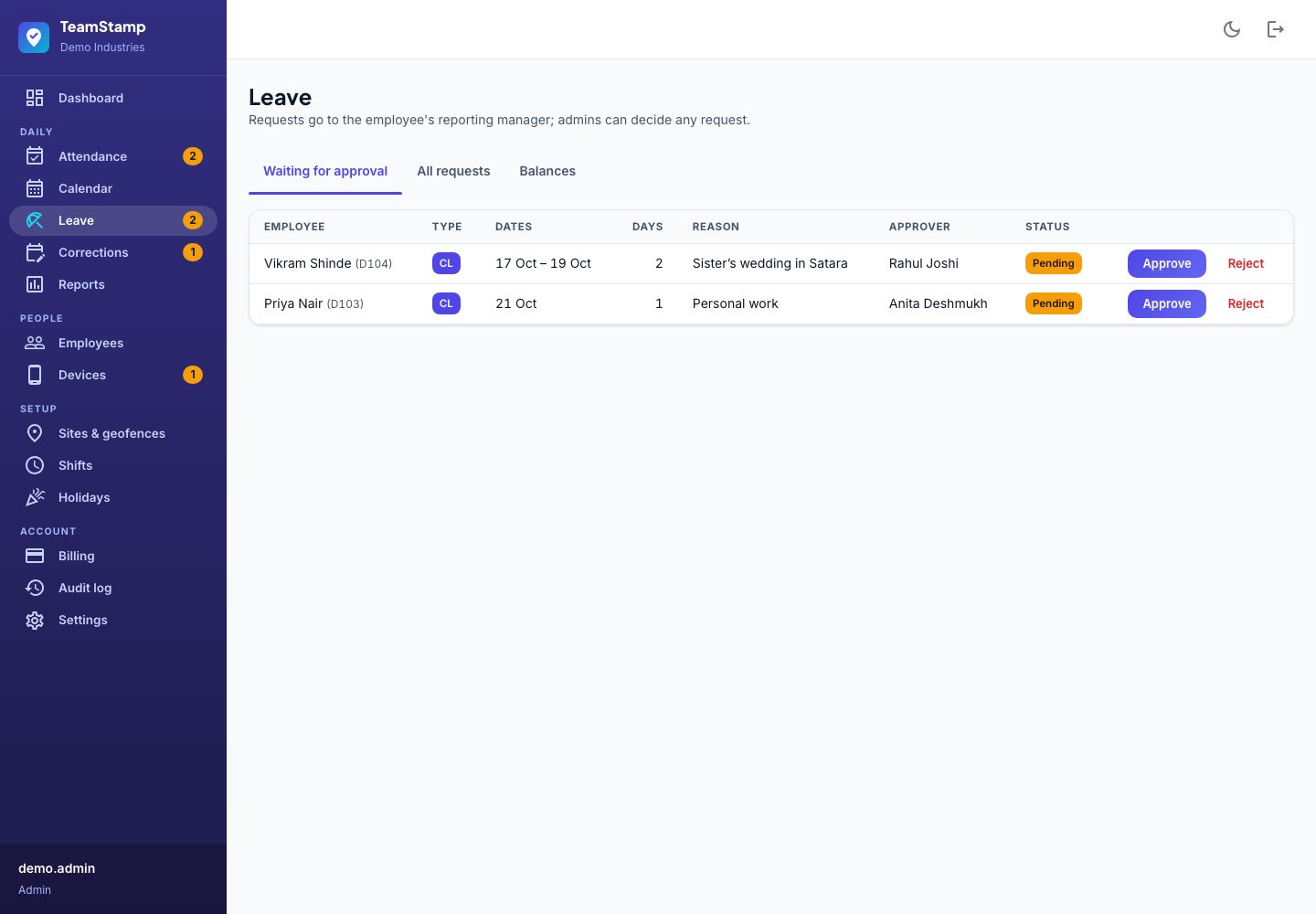
Managers and owners get a Team tab in the same app: today’s attendance, one inbox for leave, corrections and new phones, and employee management. Everything is also on teamstamp.in.
- See who’s in, late, on leave, outside or not marked today
- Approve leave, corrections and new phones in two taps
- Add, edit or remove employees from the phone
- Review flagged days with every attempt on a map
Team
Checked in today
42 of 48
3
Late
2
Leave
1
Outside
Approvals
TeamStamp vs a biometric machine
Everything the terminal on the wall does — without the terminal.
Hardware
Machine: ₹15,000–40,000 per gate, plus installation
TeamStamp: None — employees use their own phones
Maintenance
Machine: Yearly AMC, repairs, replacement sensors
TeamStamp: Included; updates arrive automatically
Queues at shift start
Machine: Everyone waits at one device
TeamStamp: Each person checks in on their phone in seconds
Field, sales & remote staff
Machine: Not covered
TeamStamp: Geofenced check-in at any site you allow
Proxy prevention
Machine: Fingerprint only; worn or wet fingers fail
TeamStamp: Face + liveness + GPS + registered phone
Hygiene
Machine: Shared touch surface
TeamStamp: Contactless
Multiple sites
Machine: One device per gate, exports per device
TeamStamp: Every site in one live dashboard
Leave, holidays & payroll days
Machine: Separate software or Excel
TeamStamp: Built in, with manager approvals
Machine prices are typical market figures for face/fingerprint terminals in India and vary by model and vendor.
Secure and private by design
Biometric attendance shouldn’t mean surveillance. TeamStamp collects the minimum needed to prove someone was at work — and protects it.
No photos stored
Faces are processed on the phone and deleted at once. Only a numeric signature reaches our servers.
Encrypted at rest
Face signatures, emails, phone numbers and 2FA secrets are AES-256 encrypted in the database.
Two-step sign-in
Admins can require an authenticator code at every sign-in; sessions are short-lived and HttpOnly.
Complete audit log
Every change by an admin, manager — or our support team — is recorded with who, what and when.
Only during the shift
Location is read at check-in and check-out, for presence checks, and — if the employee allows it — to notice leaving the premises while checked in. Never after check-out.
Consent and erasure
Employees consent before registering their face and can delete it from the app — as the DPDP Act expects.
Data protection agreement
You stay the data fiduciary; we process data only on your instructions, under a written DPA.
Hosted in India
Servers and backups stay in India. Raw locations are erased automatically after your retention period.
Simple per-employee pricing
Start free. Upgrade when you grow. Cancel any time.
For small teams getting started
Up to 5 employees, 1 site
Up to 5 employees
1 site / geofence
Face + liveness + GPS check-in
Leave, holidays & calendar
Face + geofence attendance with leave for growing teams
Billed yearly · ₹490/employee/year
Unlimited employees
3 sites / geofences
Face + liveness + GPS check-in
Leave, holidays & calendar
Payroll report export (Excel)
Every anti-proxy check, unlimited sites and priority support
Billed yearly · ₹790/employee/year
Unlimited employees
Unlimited sites
Face + liveness + GPS check-in
Leave, holidays & calendar
Payroll report export (Excel)
Random presence checks
Office Wi-Fi verification
Priority support
Custom limits, kiosks, SSO and integrations
Volume pricing for 250+ employees
Everything in Business
Custom employee & site limits
Shared-tablet kiosk mode
SSO, API & integrations
Dedicated onboarding & account manager
Prices are per active employee and exclude 18% GST. Every new company starts with a 14-day Business trial — no card needed.
Questions, answered
Your next attendance register
fits in every pocket.
Start a 14-day Business trial with every feature. Set up your first site in minutes.